Building an E-Paper Digital Picture Frame
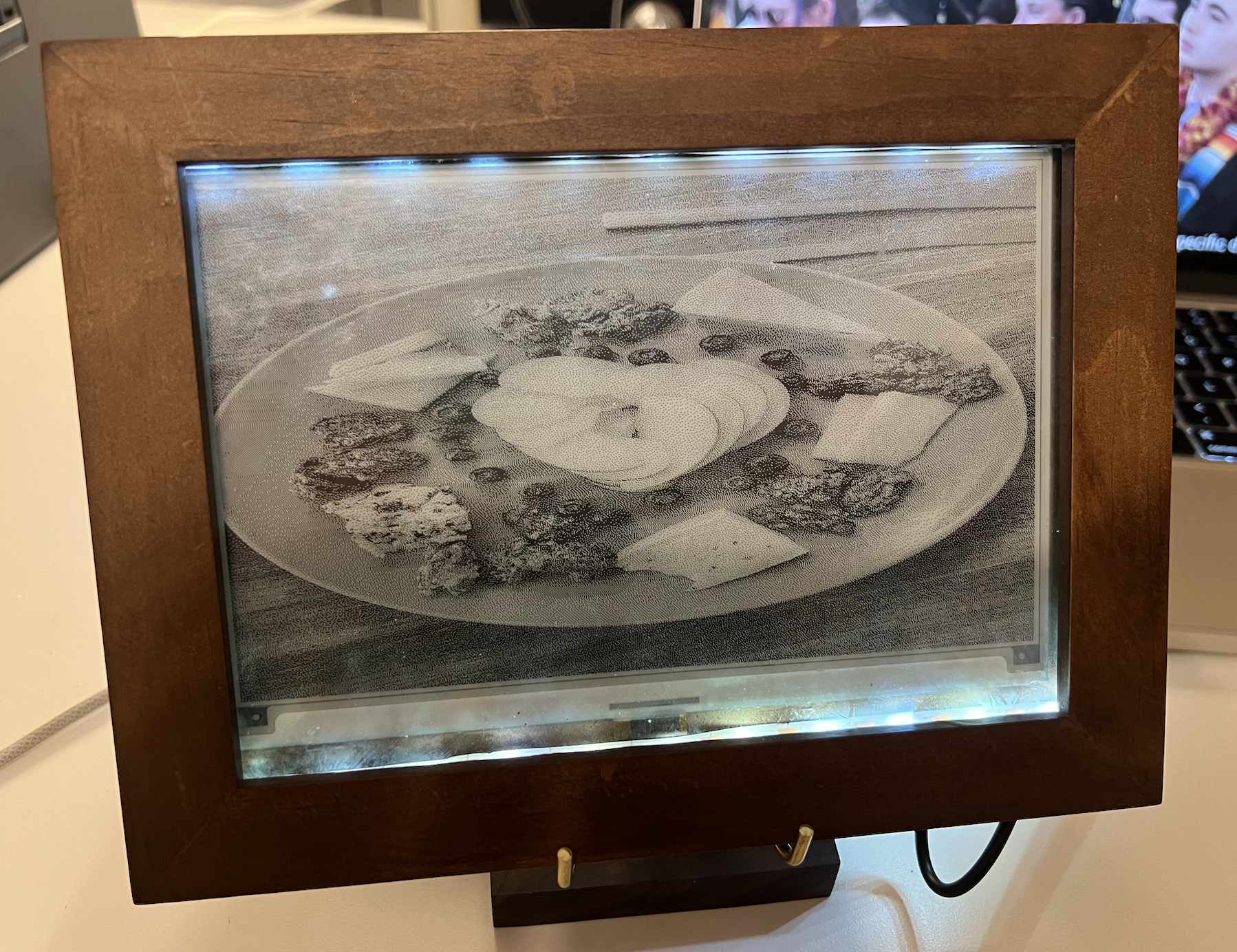
A low-power digital picture frame built on a Raspberry Pi and a 7.5" e-paper display. It auto-syncs photos from Google Drive, refreshes hourly, and boots straight into slideshow mode.
Background
Motivation
E-paper displays offer paper-like readability and ultra-low power usage. But outside of niche successes like Amazon's Kindle, e-paper hasn't broken into broader consumer or enterprise markets.
I wanted to understand why — so I started building with e-paper myself. I oriented my understanding around five factors:
- Cost – Can the initial investment be justified by long-term savings or new revenue drivers?
- Form factor – Is the display thin and light enough for modern use cases?
- Flexibility – Can it replicate the tactile benefits of paper?
- Refresh rate – Can it update fast enough for interactive or dynamic content?
- Image quality – Does it meet the visual expectations of today's users?
Use case: an e-paper digital picture frame
To explore these trade-offs practically, I built a digital picture frame using an e-paper display that leans into e-paper's strengths: static image display, minimal refreshes, and long battery life. The key features:
- Shows static images from a Google Drive folder
- Refreshes on a schedule (like once an hour)
- No manual input needed after setup
- Auto-starts the slideshow when plugged in
Project specifics
Materials (~$140)
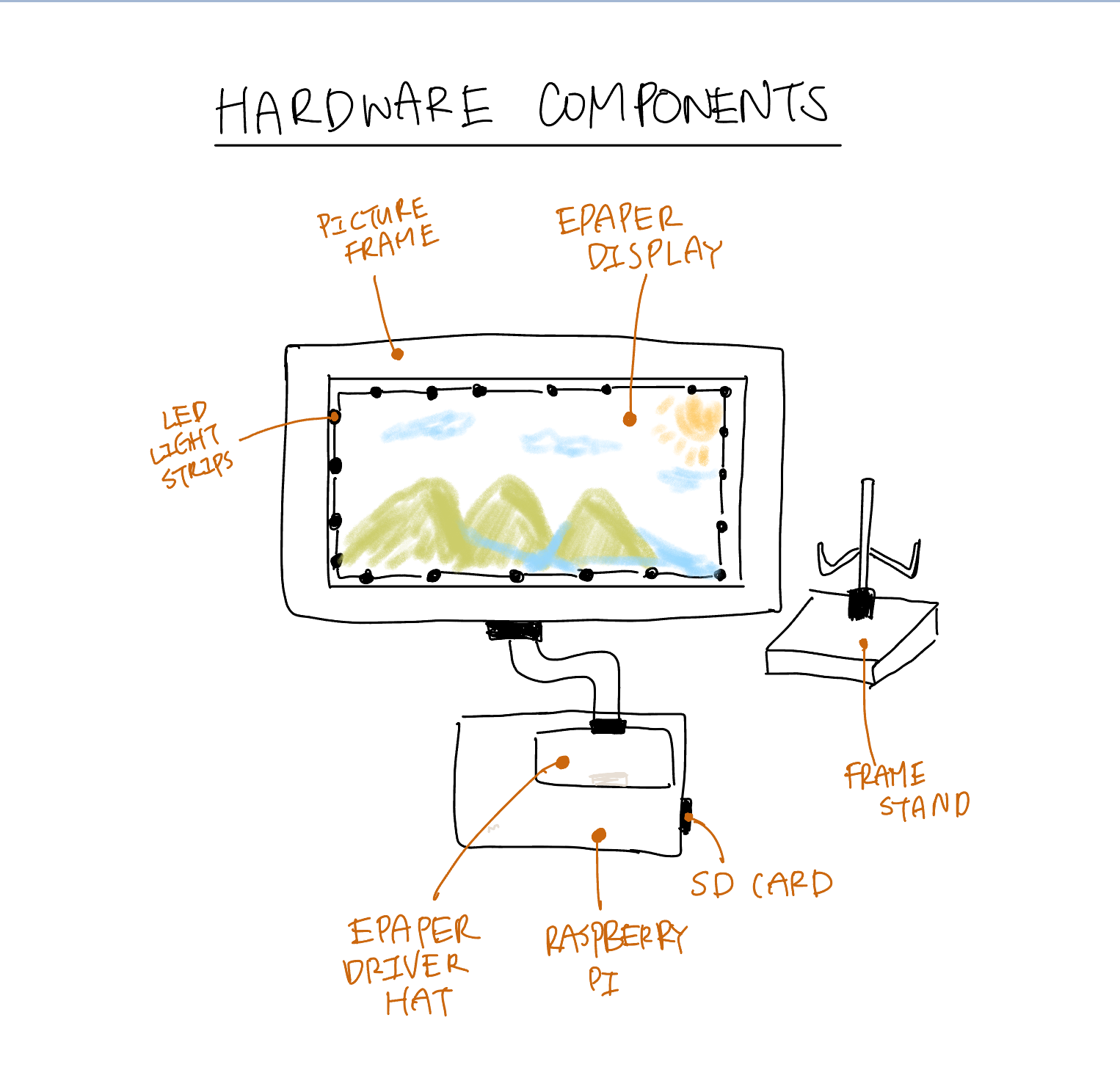
Core electronics
- Raspberry Pi 3 — any version works. ($50)
- Waveshare 7.5" e-paper Display HAT ($50)
- SD Card ($12)
Physical frame
- 5x7 Picture Frame ($8)
- Display stand ($12)
- Battery-powered LED strip lights ($17)
System design
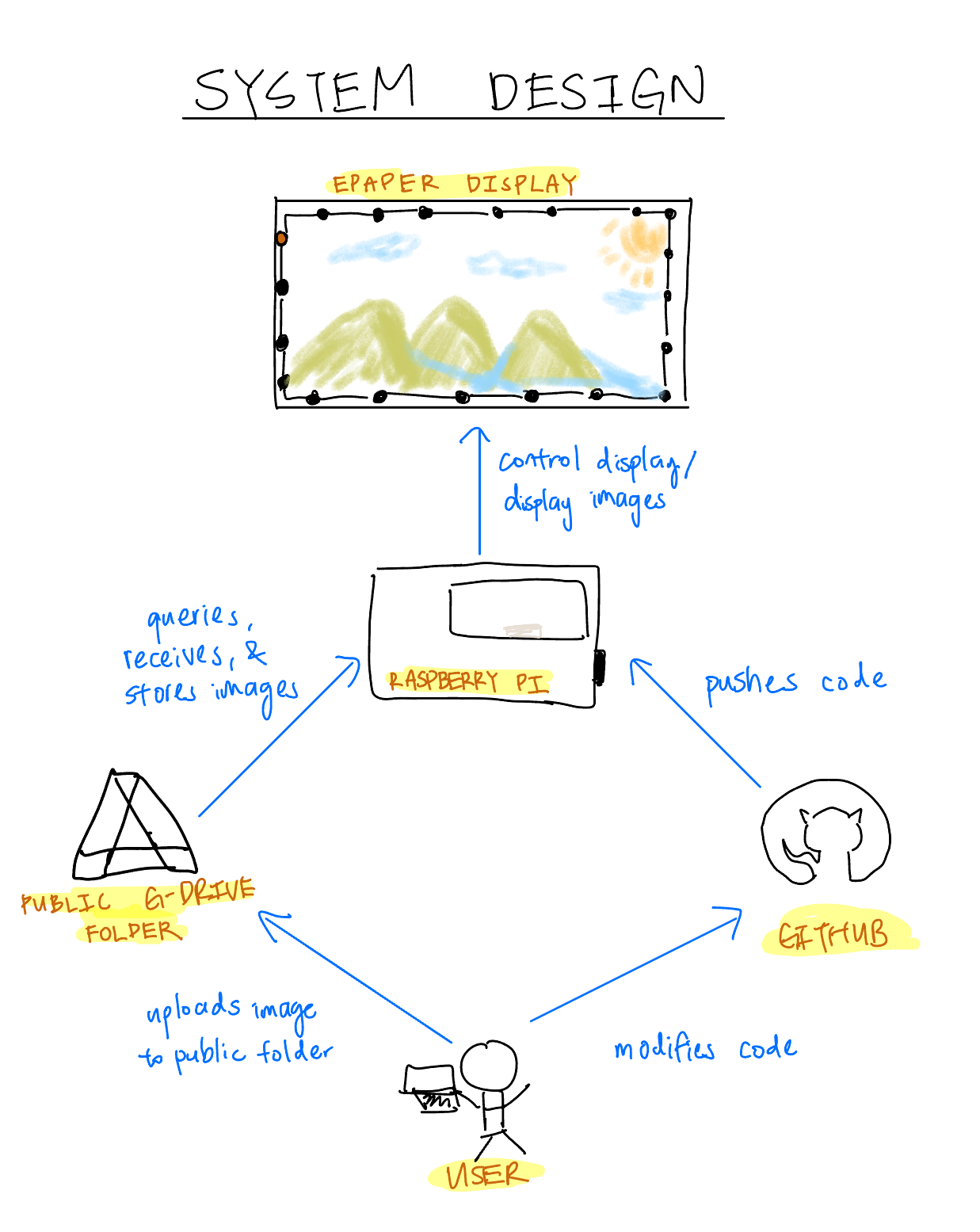
- The Raspberry Pi is the brain. It runs code that queries Google Drive for images and pushes them to the e-paper screen.
- The e-paper display simply shows the images it receives from the Pi.
- A public Google Drive folder stores the images. When you upload new images, the frame picks them up on its next query.
- GitHub hosts the system's code and enables remote updates to the Pi — which avoids the pain of editing code directly on the device.
Steps
- Image the Raspberry Pi OS onto the SD card using the Raspberry Pi Imager. Device:
Raspberry Pi 3. OS:Legacy 32bit. - Enter your WiFi credentials so you can SSH in later, then set your username and password. Imaging takes about 10 minutes.
- SSH into the Pi:
ssh rpi@raspberrypi.localand authenticate with your password. - Set up GitHub authentication on the Pi, then clone the repository.
- Create a public Google Drive folder and swap the folder ID into
config.py. Add the photos you want to show. - Wire the Raspberry Pi to the display.
- Follow the install steps in the repo (~3 minutes), then run
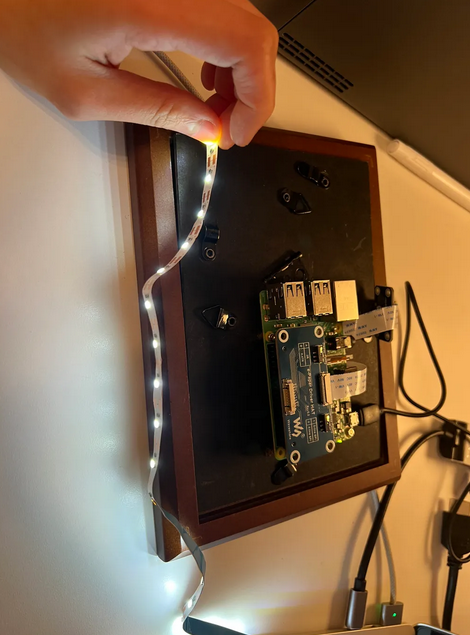
python main.py. If it works, your Drive images appear on the display. - With the proof of concept working, mount everything: I drilled holes to attach the Pi to the back of the frame and taped the LED strip around the front.
Unexpected challenges
- Fragile display ribbon cable: the cable snapped while I adjusted it. It wasn't replaceable on its own, so I had to buy a whole new display.
- Cross-platform package issues: jumping between Raspberry Pi OS and my laptop introduced compatibility problems. Several packages that worked locally failed on the Pi, and I lost days to dependency conflicts.
- E-paper degradation from over-refreshing: after two days of refreshing every 15 seconds, the screen developed persistent white streaks — likely incomplete pigment resets or physical wear of the microcapsules from excessive cycling.
Results
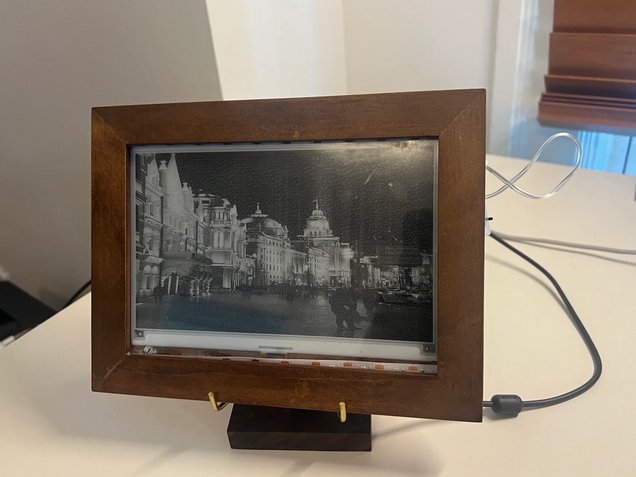
Final thoughts
This project evaluated e-paper across five dimensions: cost, form factor, flexibility, refresh rate, and image quality. Here's where I landed.
Refresh rate: a painful limitation
E-paper works by physically shifting microcapsules with electric fields — a process that inherently limits speed. Full refreshes can take up to a second, ranging 300–1000 ms depending on the display. Mainstream monitors refresh every 16 ms (60 Hz) or faster, making e-paper roughly 20–60× slower.
E-paper is fundamentally unsuitable for video or dynamic interfaces. Its niche lies in static, infrequently updated content.
Use case fit: paper
The most natural applications are exactly where paper still dominates:
- E-readers (like the Kindle)
- Electronic shelf labels
- Public transit signs
- Battery-powered IoT displays
These play to e-paper's strengths: low power, glare-free readability in sunlight, and holding an image with no refresh. However…
Cost & justifying returns: the biggest barrier
The upfront costs stay high. A single 2–3 inch electronic shelf label can run $20–30; outfitting a grocery store could cost tens of thousands in hardware alone, before system integration and maintenance. And for many retailers the promised benefits — reduced labor, dynamic pricing, personalization — are hard to attribute. Did a sale drive revenue, or was the item just in demand? Without clear attribution, ROI stays speculative.
Final assessment
I believe the future of e-paper lies in replacing physical paper. That vision has been the ambition of researchers for decades: a low-cost, flexible piece of electronics that is the digital analogue of paper.
But as it stands, e-paper is too costly and fragile. Which begs the question: how is it that a technology conceived in the 1970s and patented nearly three decades ago hasn't seen more innovation? There's clearly a use case — the Kindle proves it — yet the tech stays niche. My read is that this is a heavily IP-fenced field with high R&D costs, effectively an monopoly dominated by a single player, E Ink Corporation, spun out of MIT's Media Lab. The upfront R&D cost likely outweighs the markets it could otherwise serve.
And so it's decided — the IP-fencing of e-paper will be the next thing I dig into.
Keep reading
Building a Patent Bar Practice Site
I wasn't going to pay $3,000 for patent bar prep on top of the exam fee. So I built my own practice site — real past exams, drills, and a way to track whether you're actually ready.
Launching the Allegris Seatmap
As Product Manager on the Gordian team, I helped lead the €2.5B Allegris seatmap rollout for Lufthansa — a major cabin overhaul focused on luxury and personalization.
Droneye: System Design
The system design of my year-long senior capstone: an autonomous, low-cost drone system that humanely diverts mammalian pests like squirrels and possums from backyards.