Building a Patent Bar Practice Site
I wasn't going to pay $3,000 for patent bar prep on top of the exam fee. So I built my own practice site — real past exams, drills, and a way to track whether you're actually ready.
This patent bar practice site started with my quarter-life crisis. Three years into the Silicon Valley startup world, I'd started quietly questioning the "move fast, change the world" storyline that had originally pulled me in. I still liked building things — but somewhere along the way I'd realized that Silicon Valley doesn't always sit at the forefront of technology the way it likes to think it does. What I actually cared about was the thinking behind it all. Physics had trained me to break messy problems into smaller pieces, ask better questions, and make confusing things tractable. I wanted to use that to help the scientists and engineers actually doing the inventing.
So I started studying for the patent bar. And pretty quickly, I ran into what I'd describe as a very interesting information asymmetry problem.
Here's the thing: the USPTO's released practice exams go up to 2003, and then just… nothing. They're still useful for the foundational concepts, but they don't come close to reflecting how much patent law has changed since then. The biggest shift was the Leahy–Smith America Invents Act (AIA) in 2013, which flipped the system from first-to-invent to first-inventor-to-file and basically rewired how priority works. After AIA, the exam splits into two parallel worlds — pre-AIA and post-AIA — each with distinct rules and distinct ways of reasoning through the same problems. The practical difference is actually pretty manageable once you sit down with it: a handful of rules to memorize and apply whenever a question is post-AIA. But the absence of modern practice problems has turned what should be a minor conceptual hurdle into a major source of candidate anxiety — and that's where the information asymmetry really shows up.
With no modern official practice set to anchor on, candidates end up stitching together private materials just to understand how current rules are actually tested. That gap has shaped the prep landscape in a predictable way. A small number of commercial providers dominate patent bar prep, most notably the Patent Law Institute, whose course runs $2,995 and bundles outlines, practice questions, and an online testing platform into what has effectively become the default option for many candidates. Their position gets reinforced by tight feedback loops between course creators, former USPTO insiders, and evolving exam patterns. It makes it hard for anything else to get traction.
I wasn't particularly interested in paying $3,000 on top of the $500 exam fee. So I did what broke and stubborn people tend to do: I figured it out myself, mostly by lurking Reddit threads. Over time, my study routine settled into something like this:
- Timed full-length tests on weekends to simulate real exam conditions
- Targeted weekday drills focused on high-yield sections — Chapter 2100 (Patentability) above all
- Fast MPEP lookups practiced until they felt reflexive, not effortful
Then I built this site to make that whole process a bit more systematic. Below, I'll walk through what I built and why. And if you're not here for the product breakdown, no worries — skip ahead and just poke around. The tools speak for themselves. Toodles!
A tour of the site
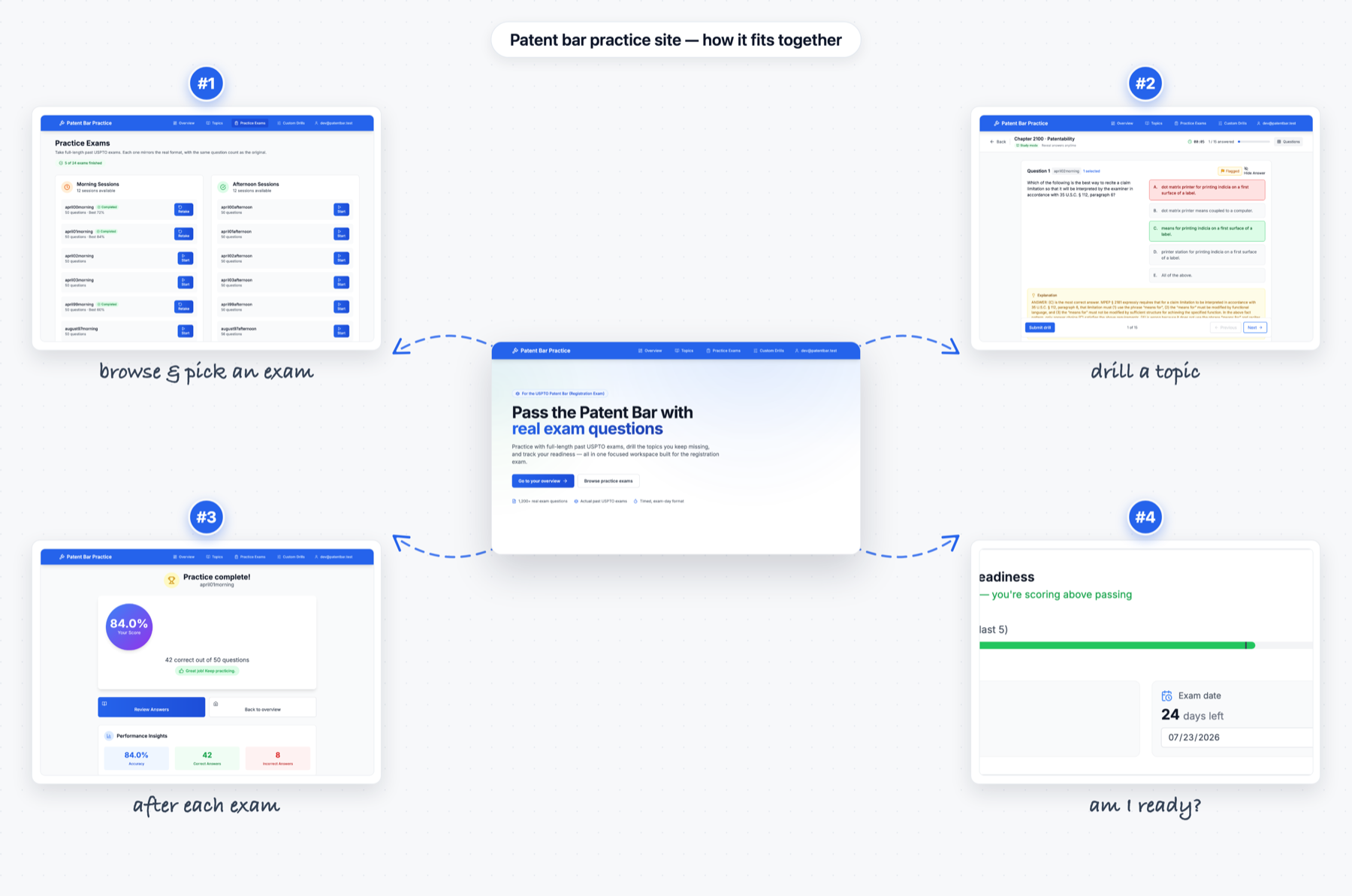
The diagram below maps the whole journey — pick an exam, do the work, see your results, check whether you're ready.
Two ways to practice: exams and drills
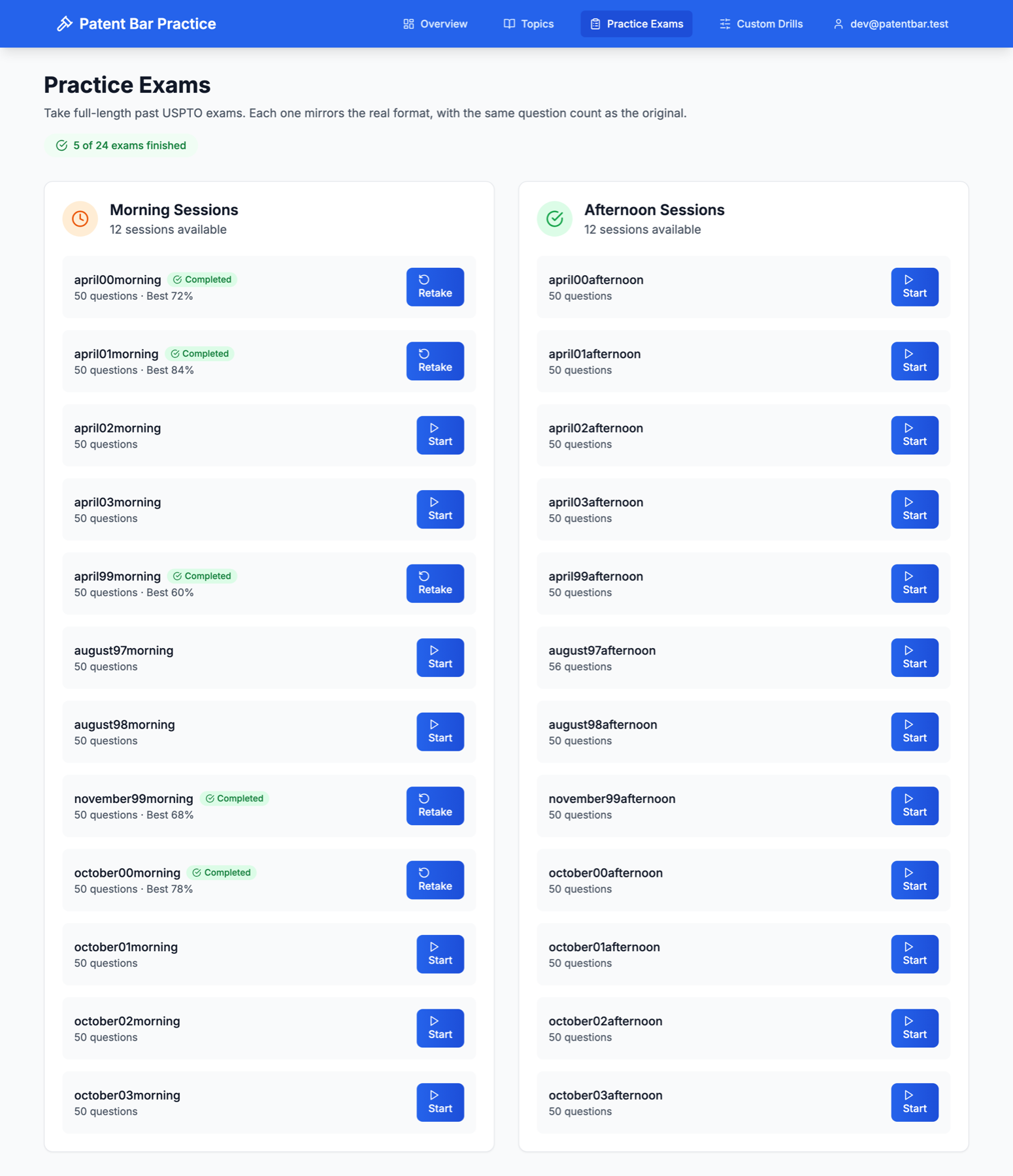
One of the first things I decided was to stop treating "practice" as a single activity. When I looked at how I was actually studying, there were really two different modes going on, so I ended up building both of them into the site.
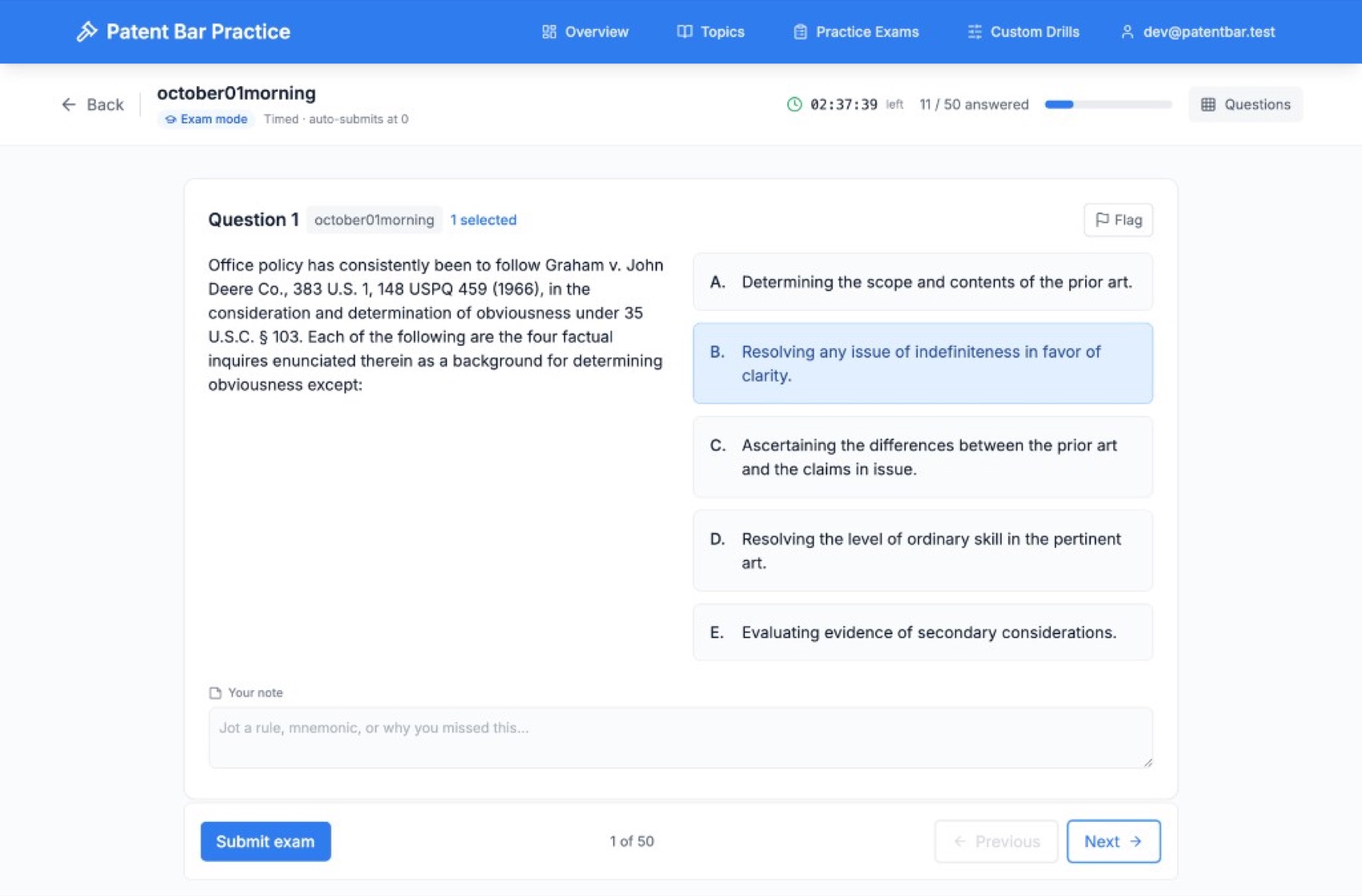
Exams are full-length and timed, and they're meant to run the way the real thing does. Answers stay hidden until you submit, a clock counts down in the corner, and if you run out of time it submits for you. The classic registration exam works out to roughly 3.6 minutes per question. The idea is to get used to the pressure, not only the material.
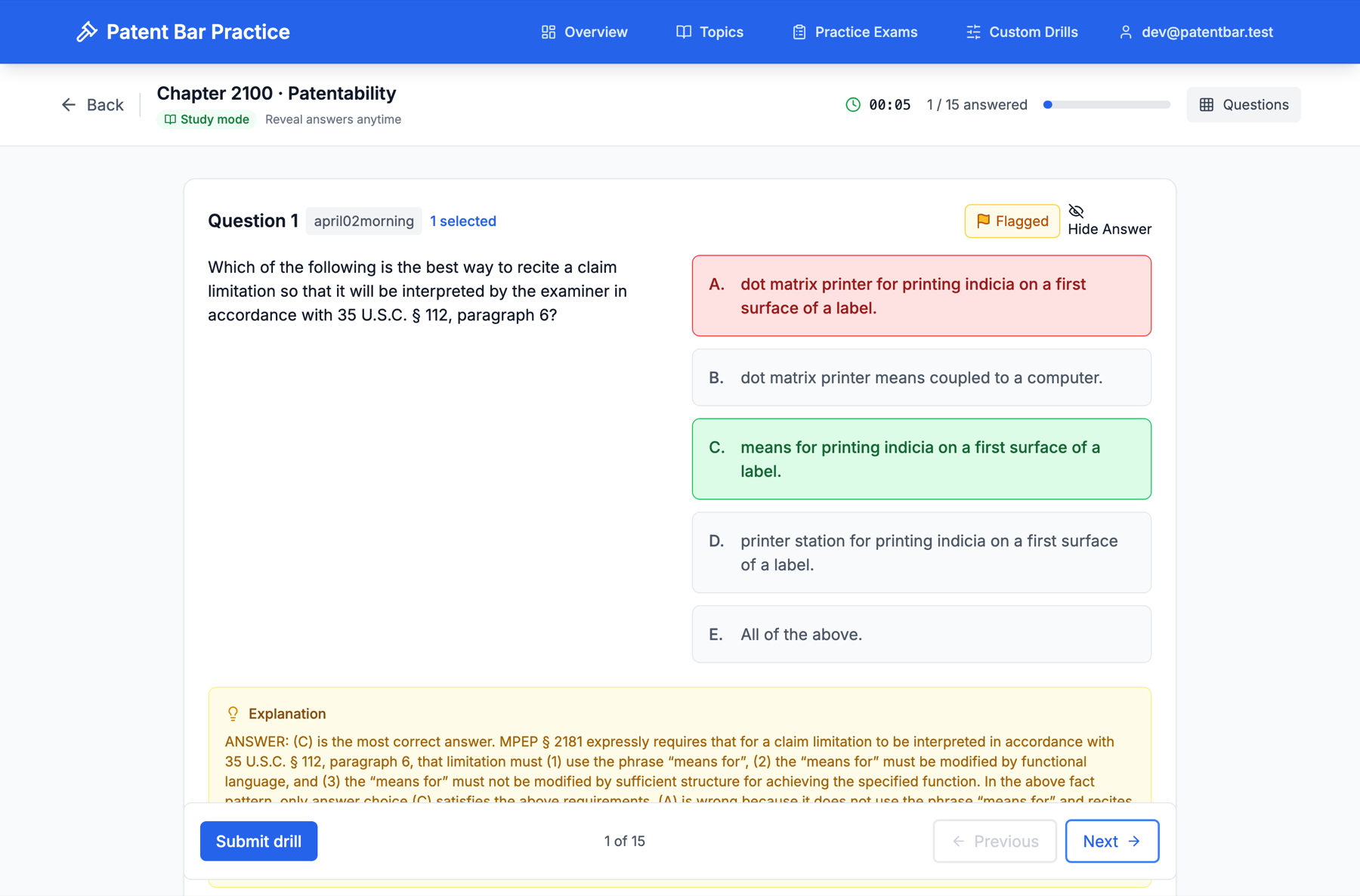
Drills are the opposite kind of session. They're untimed, and you can reveal the answer and explanation whenever you want as you work through them. This is more of a study mode — the thing I'd reach for on a weekday evening when I was trying to actually learn a concept rather than perform under a clock. You put a drill together around a particular topic or MPEP section, which is how I ended up spending most of my time inside Chapter 2100.
Studying the weak spots, not the whole pile
Doing more questions isn't really the same thing as getting better, so a lot of the site is built around pointing you toward whatever is actually costing you points.
Every answer is tagged to a topic and an MPEP section, which lets the app add up your accuracy by area. The overview page shows you where you're weakest alongside a time series of your scores, so you can watch the trend rather than just today's number. After each exam, the results page gives you that same breakdown scoped to the exam you just finished.
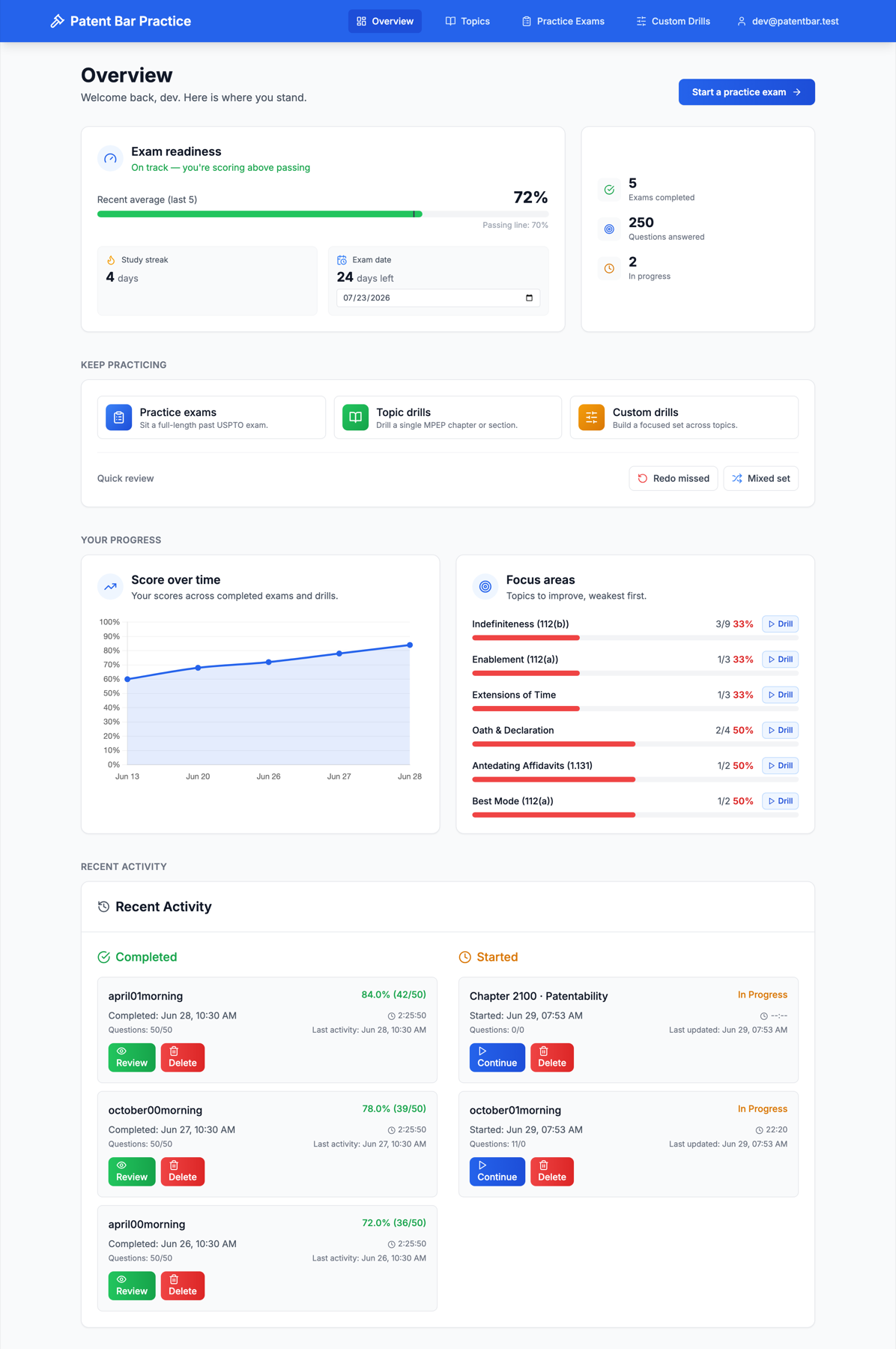
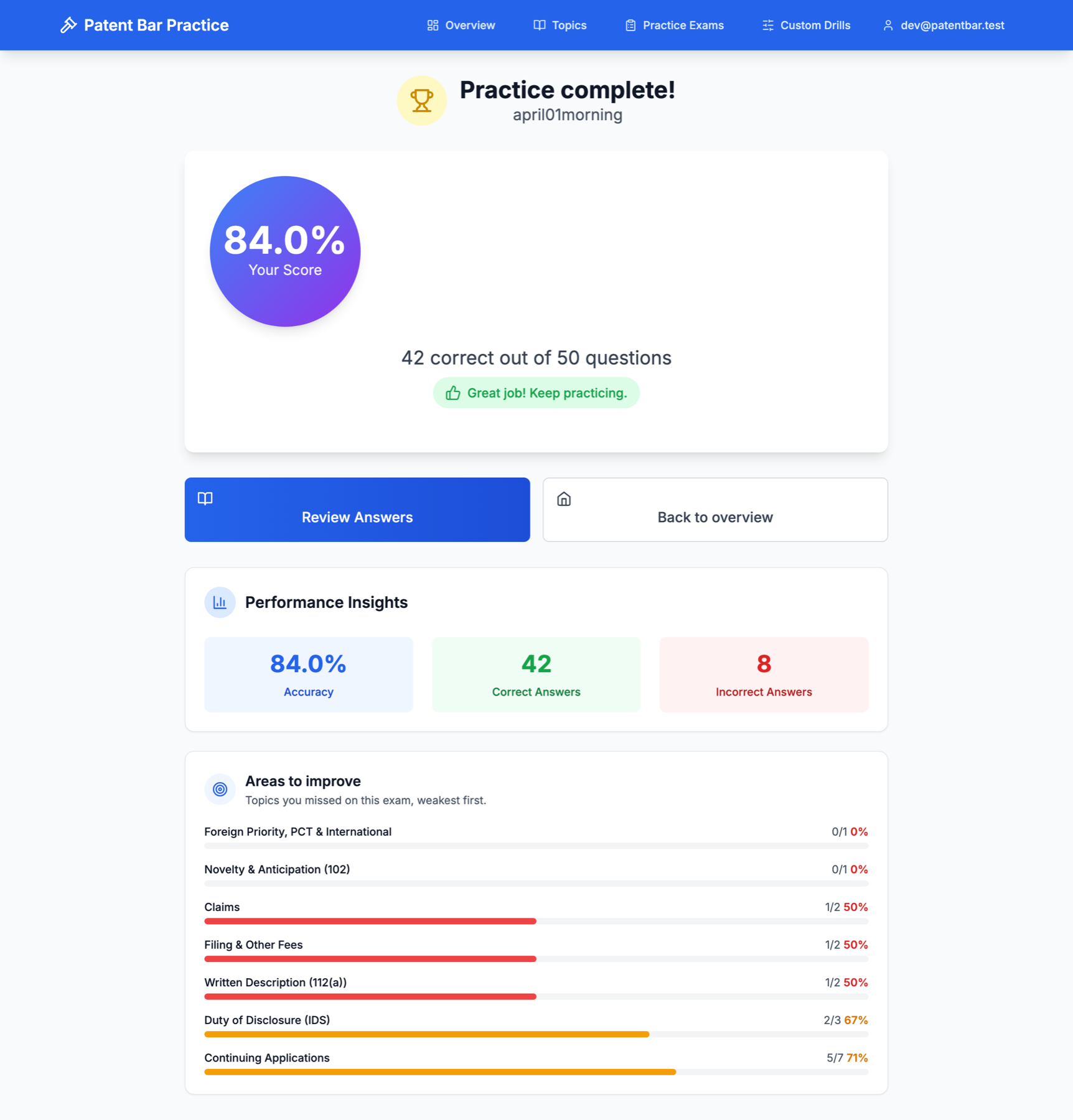
From there you can drill a weak topic in one click, redo questions you've missed before and never since gotten right, or pull together a mixed set of questions you've never seen so you're not just memorizing the order of one exam. You can also flag any question and leave yourself a note — both stick around and come back the next time that question shows up.
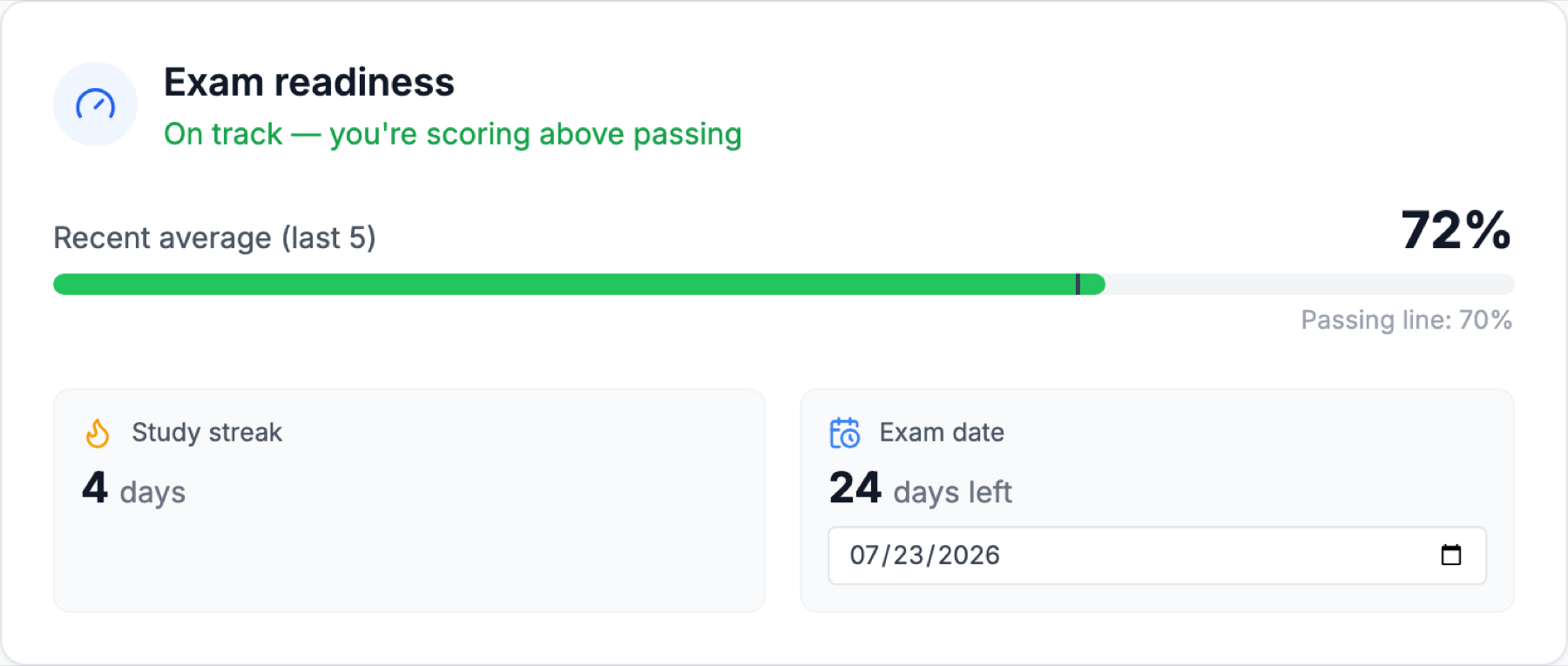
The pass line is 70 percent, and when you're studying on your own the hard part is never quite knowing whether you're close. So there's also a readiness gauge: your recent average against that 70 percent line, a study streak, and a countdown to your exam date. Nothing fancy — just the numbers I kept checking by hand, gathered in one place.
A few choices under the hood
When I first loaded the question bank, a handful of things looked like obvious bugs — questions with all five options marked correct, a few with no correct option at all, a 1997 exam with 56 questions instead of 50, a run of true/false items. My first instinct was to clean it all up. That instinct turned out to be wrong, because every one of those quirks was real. The all-correct questions are cases where the USPTO gave credit for any answer. The no-correct ones were deleted from scoring after the fact and are ungradeable by design. So instead of normalizing the data, I taught the app to honor it: a normal question needs an exact match, an all-credit question accepts anything, and a deleted question is left out of your score entirely — not counted against you, just removed from the denominator.
A drill can pull questions from several different exams, and the catch is that exam question numbers repeat — there's a "Question 12" in nearly every exam. Early on, two different "Question 12"s in the same drill would collide and overwrite one another. The fix was to stop identifying a question by its number alone and start identifying it by where it came from together with its number. It's a small change in concept, but it rippled through scoring, storage, and the whole answering interface, since a question's identity turns out to be load-bearing almost everywhere.
Since other people might use it too, accounts run on Supabase Auth, and every row of your data is protected by row-level security at the database level — so your progress stays yours.
I built this mostly for myself, but if you're studying for the patent bar and don't want to pay an exorbitant amount for prep, it's there: patentbarpractice.com. Free to use, no credit card — just past exams and the study tools I wished I'd had when I started.
Keep reading
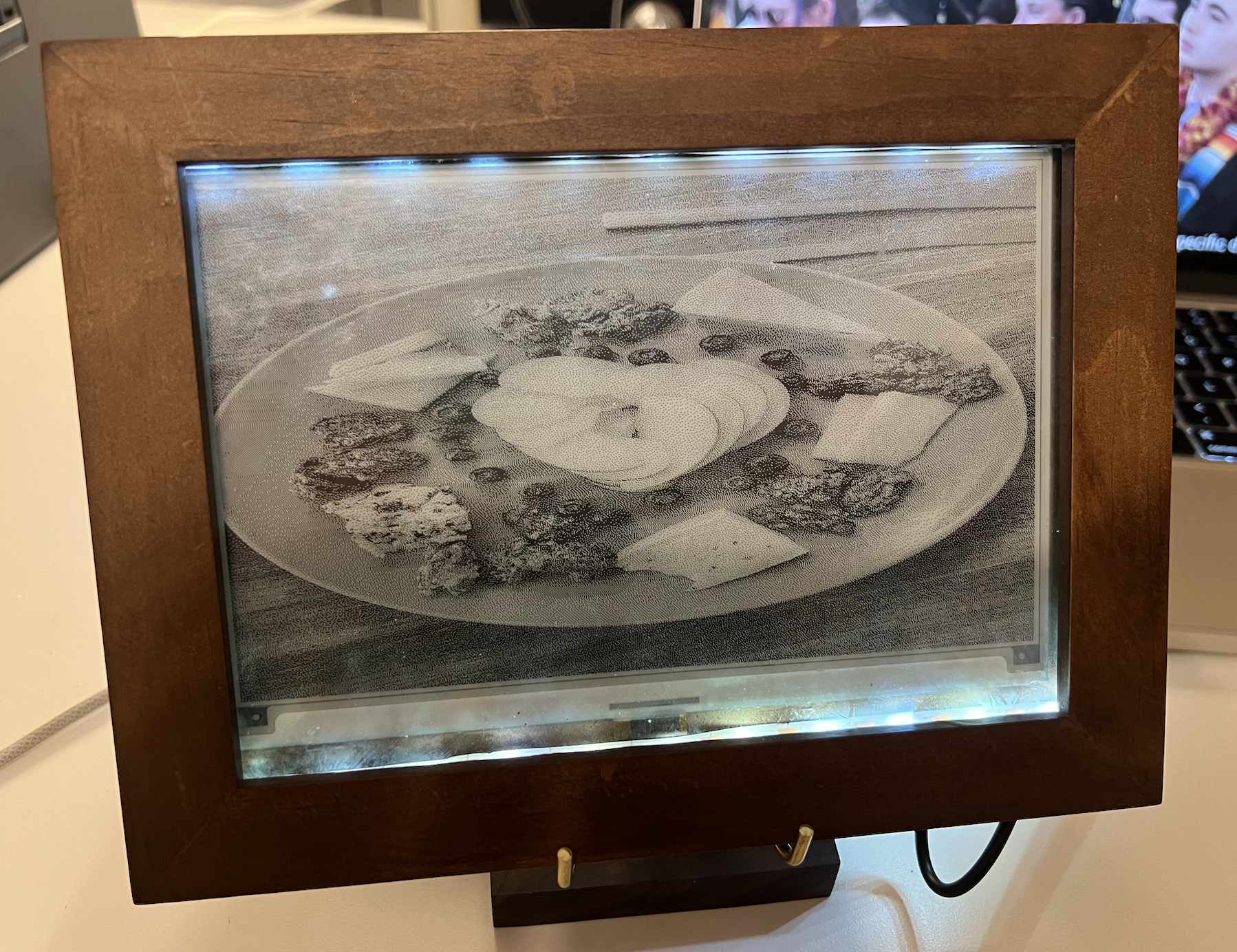
Building an E-Paper Digital Picture Frame
A low-power digital picture frame built on a Raspberry Pi and a 7.5" e-paper display. It auto-syncs photos from Google Drive, refreshes hourly, and boots straight into slideshow mode.

Launching the Allegris Seatmap
As Product Manager on the Gordian team, I helped lead the €2.5B Allegris seatmap rollout for Lufthansa — a major cabin overhaul focused on luxury and personalization.
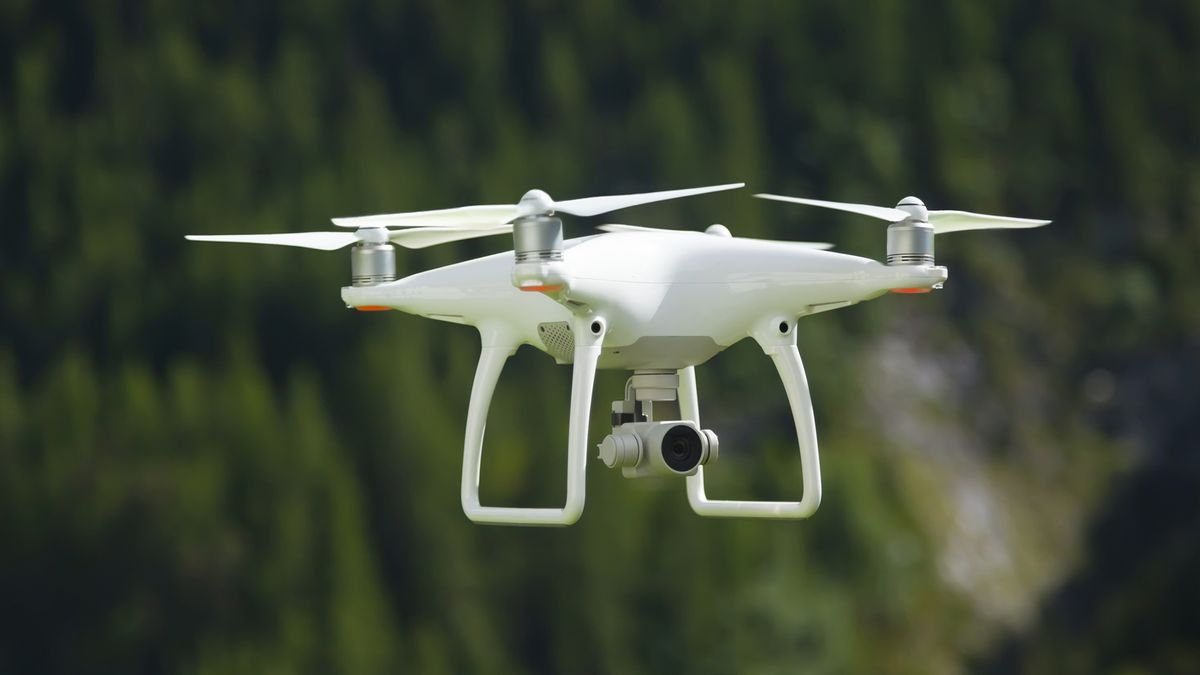
Droneye: System Design
The system design of my year-long senior capstone: an autonomous, low-cost drone system that humanely diverts mammalian pests like squirrels and possums from backyards.